
AI
Jan 6, 2026
Why Traditional Data Warehouses Fail at AI: Building Truly AI-Native Platforms
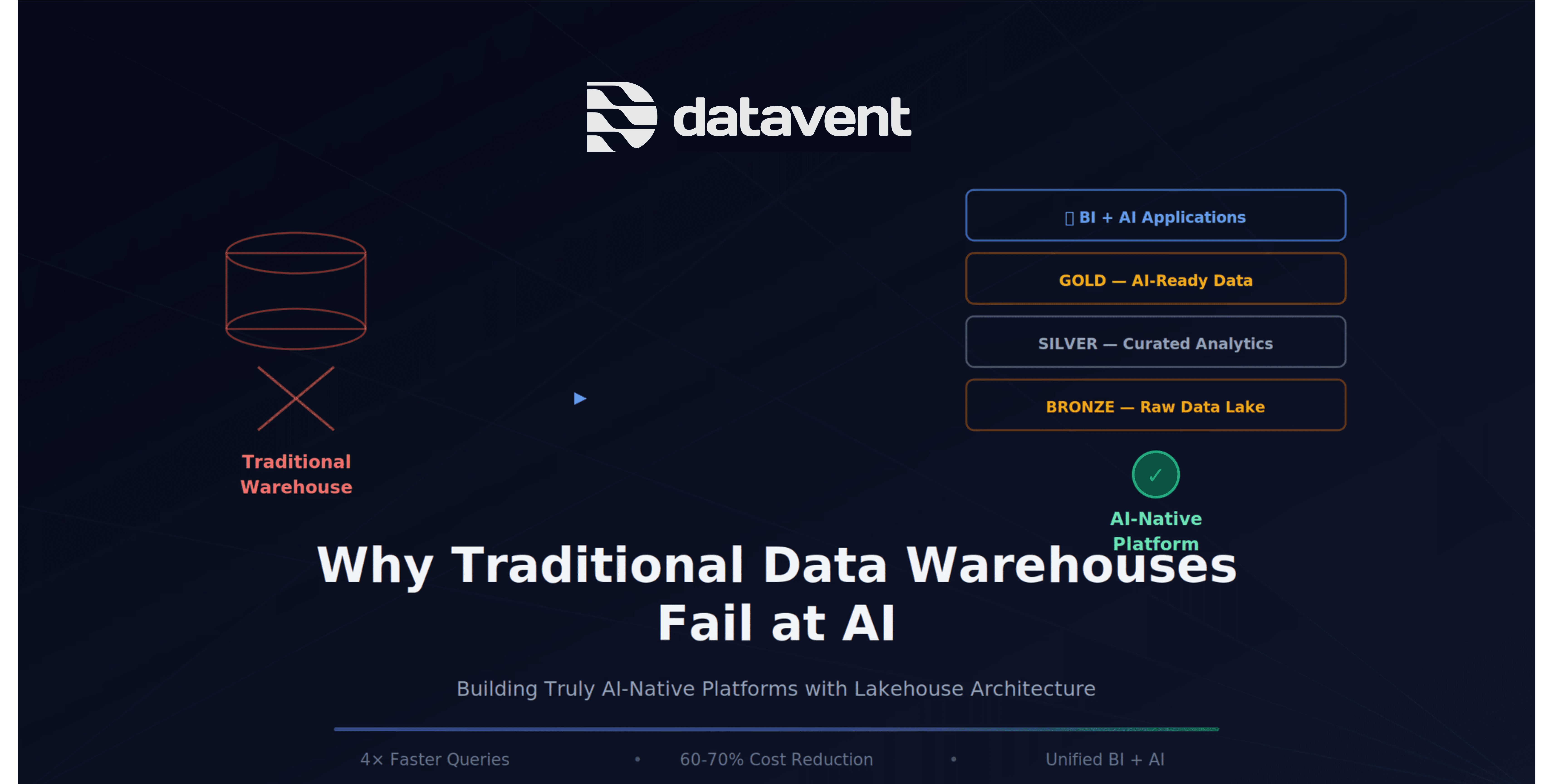
If you've tried to build AI features on top of your existing data warehouse, you've probably hit a wall. The same infrastructure that powers your BI dashboards and executive reports suddenly becomes a bottleneck when you need to feed data to machine learning models or power semantic search.
This isn't a coincidence. Traditional data warehouses were never designed for AI workloads. And the common approach of bolting vector databases onto existing analytics infrastructure creates more problems than it solves.
After building both traditional BI platforms and AI-native systems across banking, pharma, and manufacturing sectors, we've seen this pattern repeat itself. Here's why your data warehouse struggles with AI—and what to do about it.
The Problem: BI-First Architecture Meets AI-First Requirements
Traditional data warehouses were optimized for structured, tabular data in star or snowflake schemas—SQL-based aggregations, predictable query patterns, and human-readable dashboards.
But AI workloads have fundamentally different requirements:
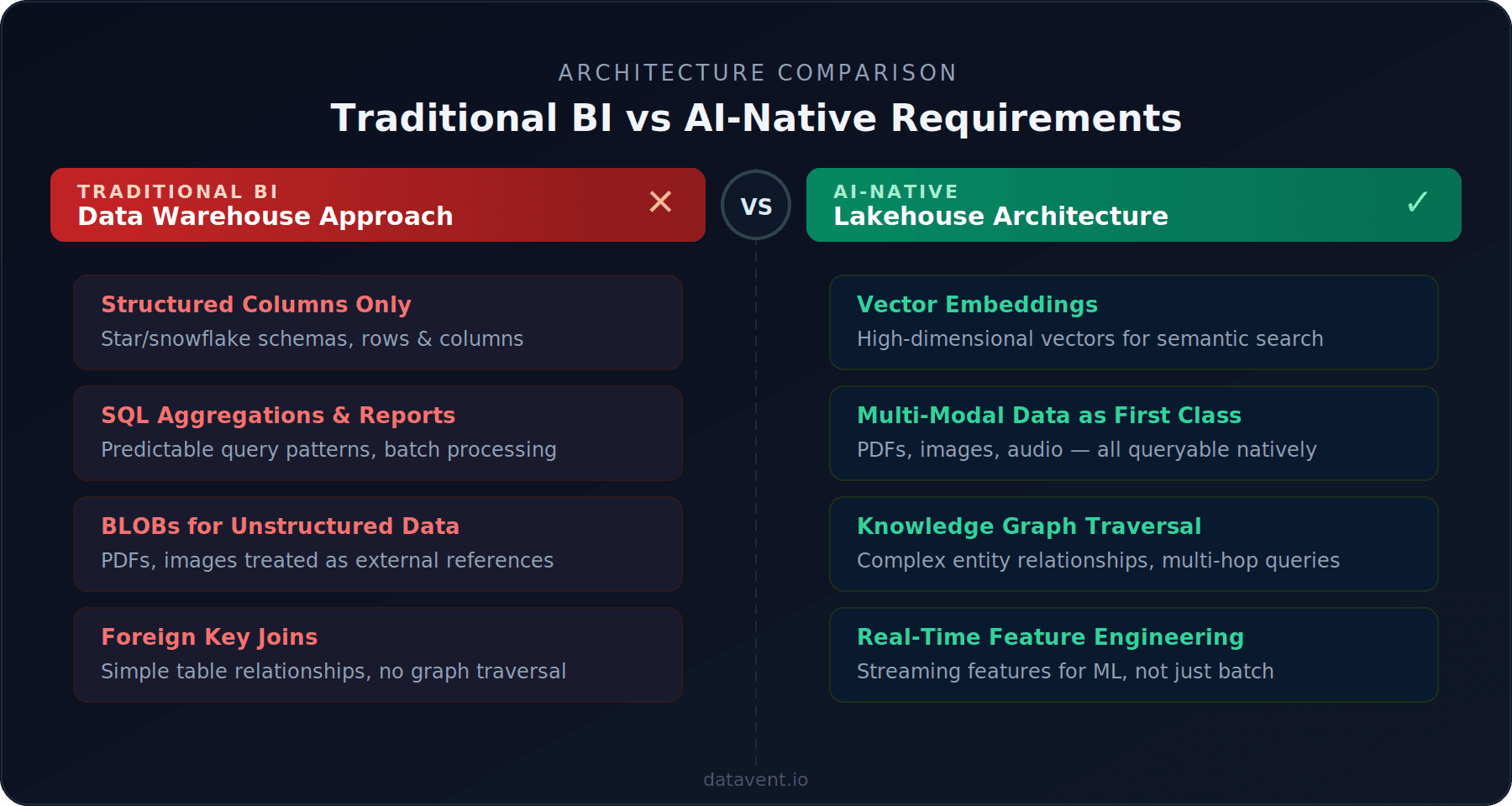
Vector embeddings instead of structured columns. Semantic search and RAG systems need data as high-dimensional vectors, not rows and columns.
Unstructured data as first-class citizens. AI models consume PDFs, images, audio files, and raw text—not just tabular data.
Graph relationships and multi-hop queries. Knowledge graphs for entity traversal, not just foreign key joins.
Real-time feature engineering. ML models need features computed in real-time, not batch-processed aggregations.
The Bolt-On Approach: Why It Fails
When teams realize their warehouse can't handle AI, the first instinct is to add a vector database on the side—Pinecone for embeddings, Neo4j for graphs—while keeping Snowflake or Redshift for structured analytics. This creates what we call the AI Infrastructure Tax.
1. Data Duplication and Sync Nightmares
Your data now lives in multiple places: source systems, data warehouse, vector database, and possibly a graph database. Every piece of data needs to be extracted, transformed for the warehouse, re-transformed for embeddings, synced to vector store, and kept consistent across all systems. When a source document updates, you need to propagate changes across the entire pipeline.
2. Cost Multiplication
Running multiple specialized systems creates redundant infrastructure costs—separate warehouses, vector databases, graph databases, and data pipeline infrastructure. A unified lakehouse architecture consolidates these, reducing both cost and operational complexity.
3. Complexity Kills Agility
Each additional system adds different query languages and APIs, separate security and access control, multiple monitoring systems, distinct backup procedures, and different SLAs. Your data team spends more time managing infrastructure than building features.
4. Performance Bottlenecks
Consider a RAG-powered document Q&A. A user asks: "What are the side effects mentioned across all clinical trials for compound X?"
Bolt-on architecture: Query vector database (200ms) → Retrieve document IDs → Query warehouse for metadata (150ms) → Fetch documents from object storage (300ms) → Query graph database for relationships (180ms) → Assemble context (100ms). Total: 930ms just for data retrieval.
AI-native architecture: Single query to unified lakehouse returns vectors + metadata + content (180ms) → Assemble context (50ms). Total: 230ms — 4× faster.
What AI-Native Architecture Actually Means
An AI-native data platform is built from the ground up to serve both traditional analytics and AI workloads from unified infrastructure.
The Three-Layer Lakehouse Pattern
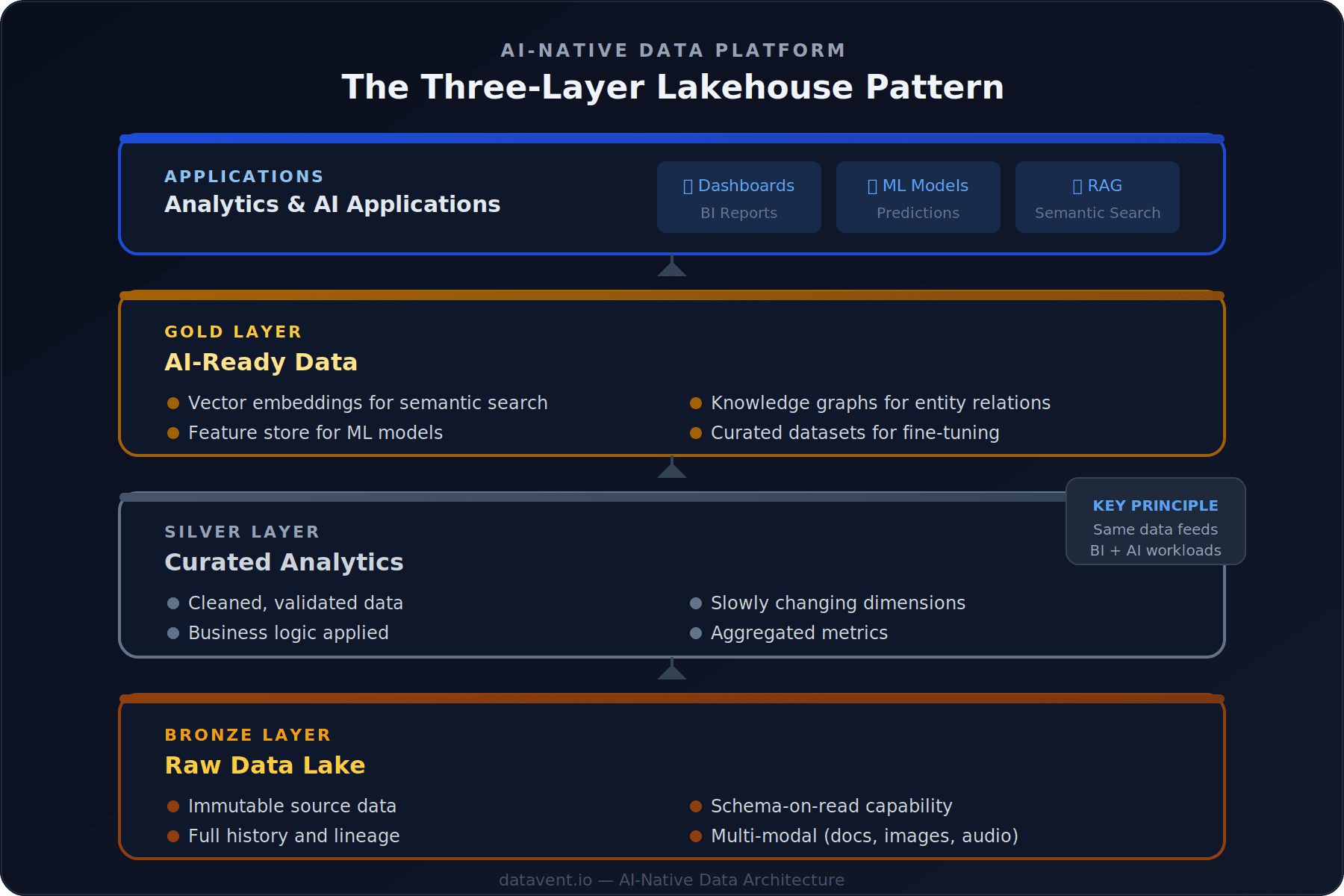
The architecture we implement follows three layers:
Bronze Layer (Raw Data Lake): Immutable source data with full history and lineage, schema-on-read capability, and multi-modal data support for documents, images, and more.
Silver Layer (Curated Analytics): Cleaned and validated data with business logic applied, slowly changing dimensions, and aggregated metrics.
Gold Layer (AI-Ready Data): Vector embeddings for semantic search, feature stores for ML models, knowledge graphs for entity relations, and curated datasets for fine-tuning.
The key principle: the same curated data in the Silver layer feeds both traditional BI reports via SQL and AI features via vector search and graph traversal.
Technology Choices That Matter
Open table formats: Apache Iceberg or Delta Lake for time travel, ACID transactions at petabyte scale, schema evolution, and multi-engine access.
Separation of storage and compute: Data in cost-effective object storage (S3, GCS), compute spun up only when needed.
Event-driven architecture: Kafka/MSK for real-time streaming instead of batch-only pipelines.
Unified metadata layer: AWS Glue Data Catalog or similar for tracking schemas, lineage, and quality across all layers.
The Migration Path: No Rip and Replace
You can evolve toward AI-native architecture incrementally:
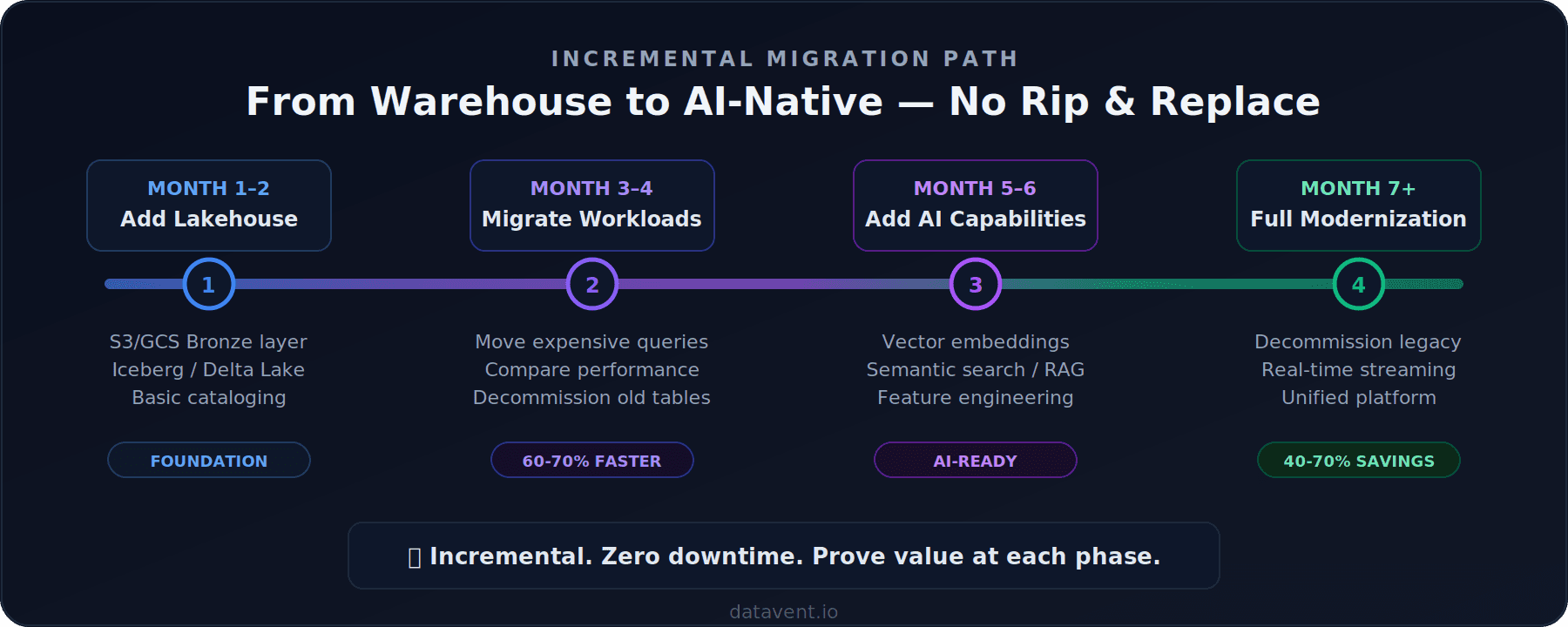
You don't need to rip and replace your existing warehouse overnight. The teams we've worked with start by standing up a lakehouse layer alongside their existing warehouse, migrate one high-value workload, prove the cost and performance difference, then expand from there.
The shape of the journey is consistent: start with the workload that is either costing the most or slowing the business down the most. Build a proof of concept on lakehouse architecture, measure the difference, and use that to justify the broader migration. Move workloads incrementally rather than attempting a big-bang cutover.
The first working proof of concept typically takes 4 to 6 weeks. A full production migration — from first workload to decommissioning the legacy warehouse — usually runs 6 to 12 months depending on data complexity, organisational readiness, and how many downstream systems depend on the existing warehouse.
The most underestimated phase is always the last one: decommissioning. Getting every team off a legacy warehouse requires stakeholder alignment, not just engineering. Plan for it early.
Common Objections
"Our team knows SQL and Snowflake. This seems complicated."
Lakehouse platforms support SQL. Snowflake and Databricks both offer lakehouse capabilities now. Your analysts keep using the same queries—the difference is your data engineers get flexibility for AI workloads without separate systems.
"We're not doing AI yet, so why invest?"
Two reasons: Cost—even without AI, lakehouse is cheaper (40-70% reductions from storage + compute separation). And optionality—when your business asks for AI features, you're ready while competitors who need to refactor are 6-12 months behind.
"Isn't this just swapping one vendor for another?"
No. The key is open standards: open table formats (Iceberg, Delta Lake, Hudi), open data APIs (Arrow, Parquet), and portable compute (Spark, Trino, DuckDB). Your data isn't locked in proprietary formats.
What Success Looks Like
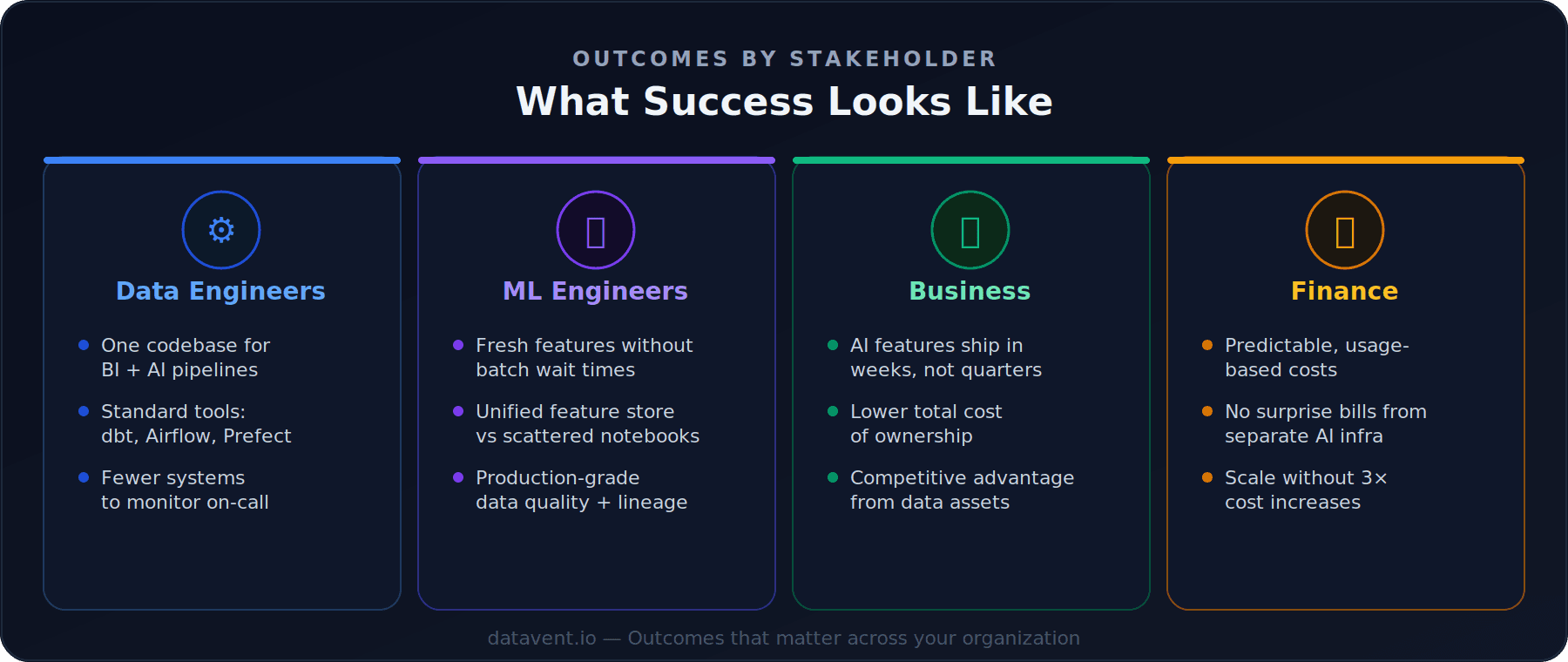
For data engineers: One codebase for both BI and AI pipelines, standard tools that work across all use cases, and reduced on-call burden.
For ML engineers: Fresh features without batch wait times, a unified feature store, and production-grade data quality and lineage.
For the business: AI features reach production in weeks not quarters, lower total cost of ownership, and competitive advantage from data assets.
For finance: Predictable usage-based costs, no surprise bills from separate AI infrastructure, and clear scaling path without 3× cost increases.
Getting Started
If you're running a traditional data warehouse and exploring AI:
Audit your architecture — Map out where your data lives today. Calculate the true total cost including licensing, compute, and engineering time.
Identify your most expensive workload — A slow dashboard refresh, a huge cluster, or manual reporting. That's your starting point.
Prototype on lakehouse — Build a proof-of-concept on Iceberg or Delta Lake. Measure performance and cost against your warehouse.
Plan incrementally — Move workloads one at a time, proving value along the way.
The future of data platforms isn't BI or AI—it's BI and AI from unified infrastructure. The question isn't whether to modernize, but how fast you can get there before your competitors do.
Need help assessing your current data architecture? We've helped companies across Manufacturing, banking, pharma, and SaaS make this transition with zero downtime. Get in touch to discuss your challenges.
Share Blog